Teachers College Student & Alumni Directory
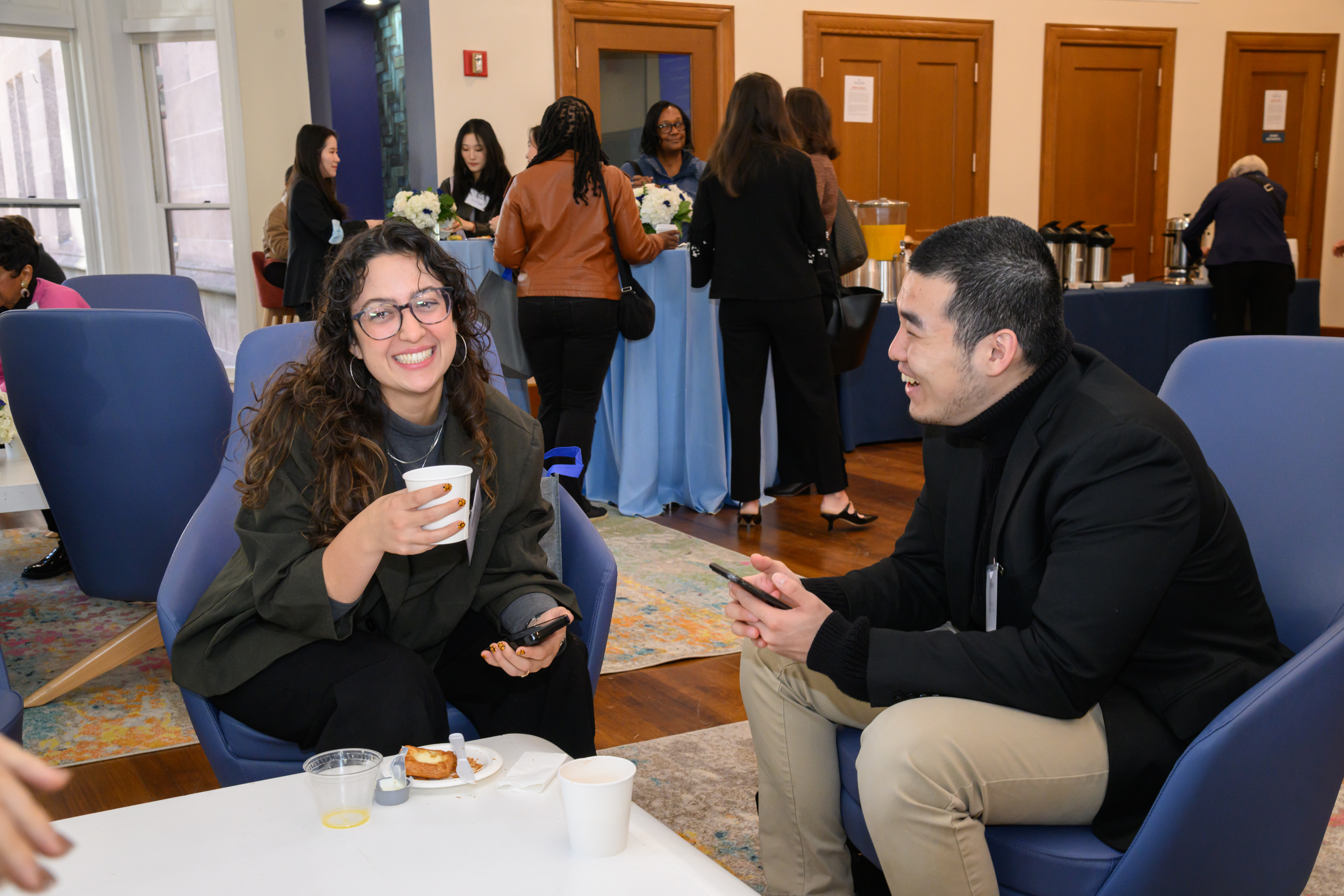
The TC Student & Alumni Directory is your one-stop shop for connecting with fellow TC alumni. This directory was created to provide TC alumni a space to find classmates, network with one another, and provide mentorship for current students.
Please note that the Student & Alumni Directory is available for all degree-holding TC alumni. For TC alumni who are certificate holders or non-degree alumni, we encourage you to connect with alumni and students in our TC Student & Alumni LinkedIn group and our TC Alumni LinkedIn group.
Login Information
1. Go to teacherscollege.12twenty.com in your browser.
2. Login with your UNI and password.
3. Authenticate your account with your TC email address.
- If you need UNI/password reset support, you can view the help guide here, or reach out to TCIT at servicedesk@tc.columbia.edu or 212-678-3300.
- If you need support accessing the portal, you can fill out the form here.
Profile Setup
4. Confirm that you would like to be included in the TC Student & Alumni Directory.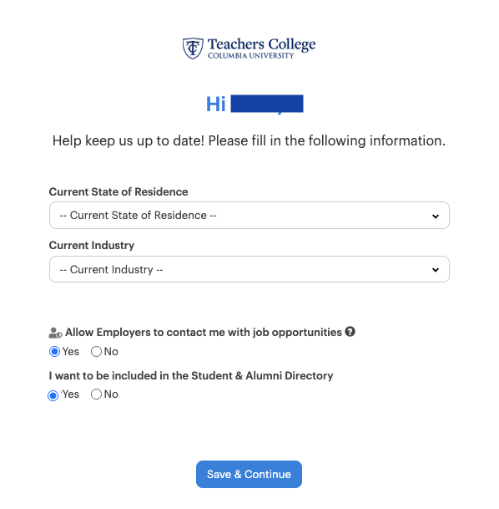
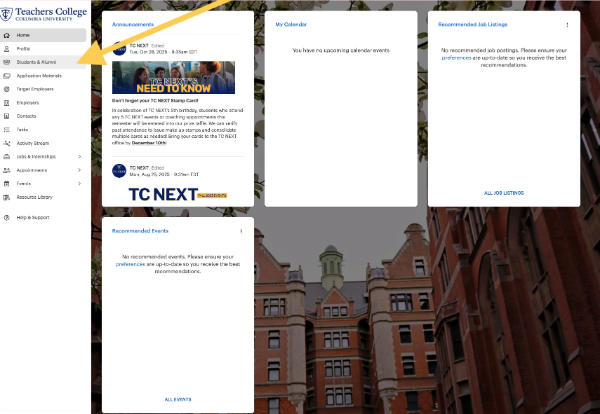
5. Navigate to the Student & Alumni Directory on your dashboard.
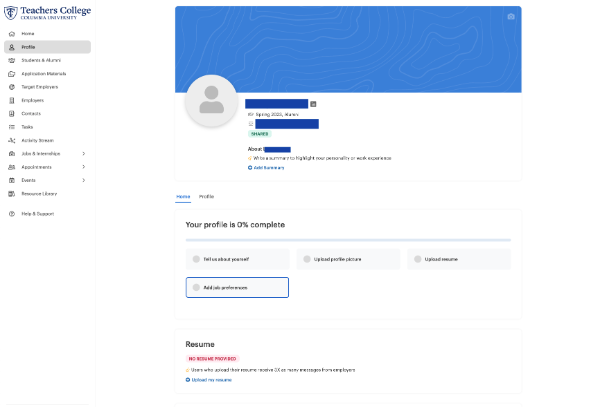
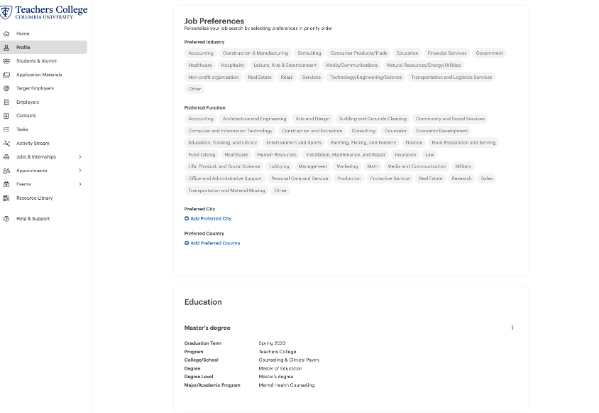
6. Set up your profile to share more about yourself.
Get Connecting!
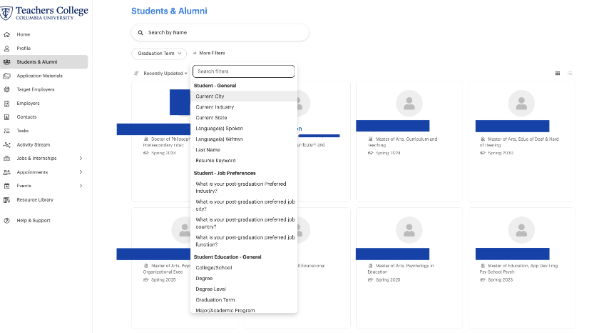
7. Search for alumni you would like to connect with. Use the filters to find alumni who live near you, were in your program, have a similar career, etc.
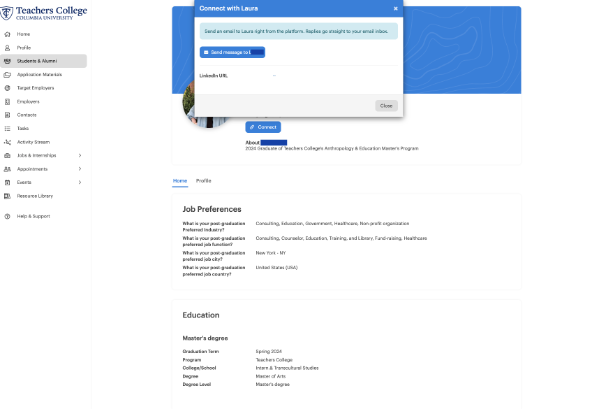
8. Connect away! You can connect with alumni directly through the directory.
- View TC NEXT’s best practices for connecting via the directory here.
Reminders
If you need UNI/password reset support, you can view the help guide here, or reach out to TCIT at servicedesk@tc.columbia.edu or 212-678-3300.
If you need support accessing the portal, you can fill out the form here.
The Student & Alumni Directory is available for all degree-holding TC alumni through TCIT’s single-sign on. For TC alumni who are certificate holders or non-degree alumni, we encourage you to connect with alumni and students in our TC Student & Alumni LinkedIn group and our TC Alumni LinkedIn group.
Reach out to alumni@tc.columbia.edu with any additional questions.